Transparent Wireless Mouse About
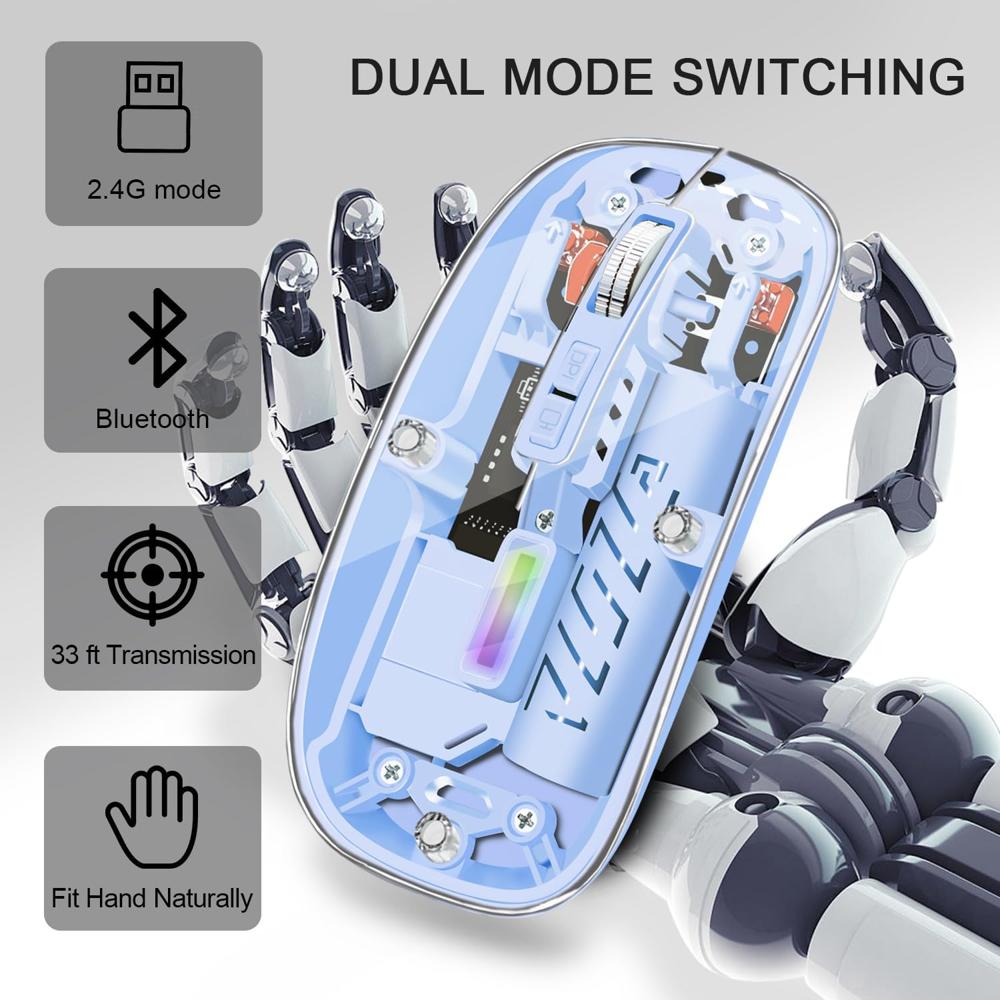
- Wireless Mouse with Dual Mode: The bluetooth mouse switches easily swap between two devices once Bluetooth (BT 5.2) pairing has been completed or plugged into the USB. It can connect to one device via Bluetooth and another via a 2.4 GHz USB receiver
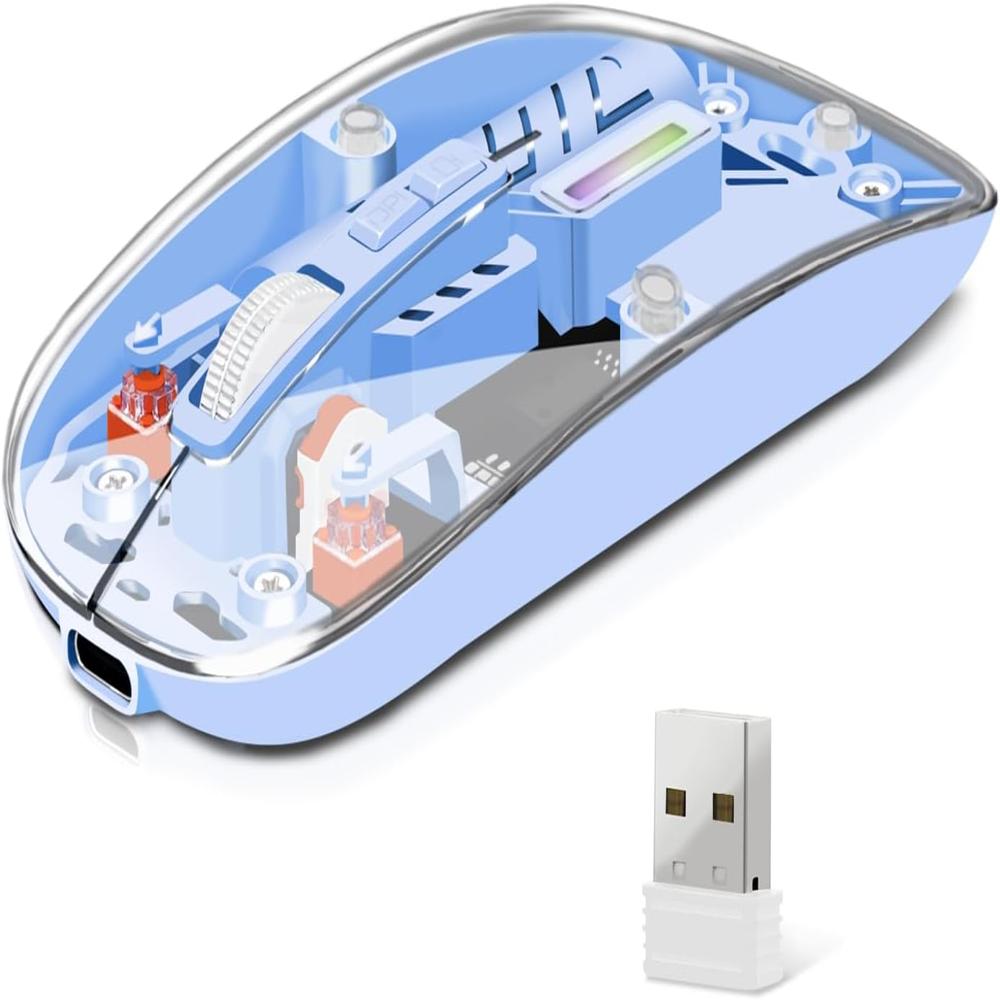
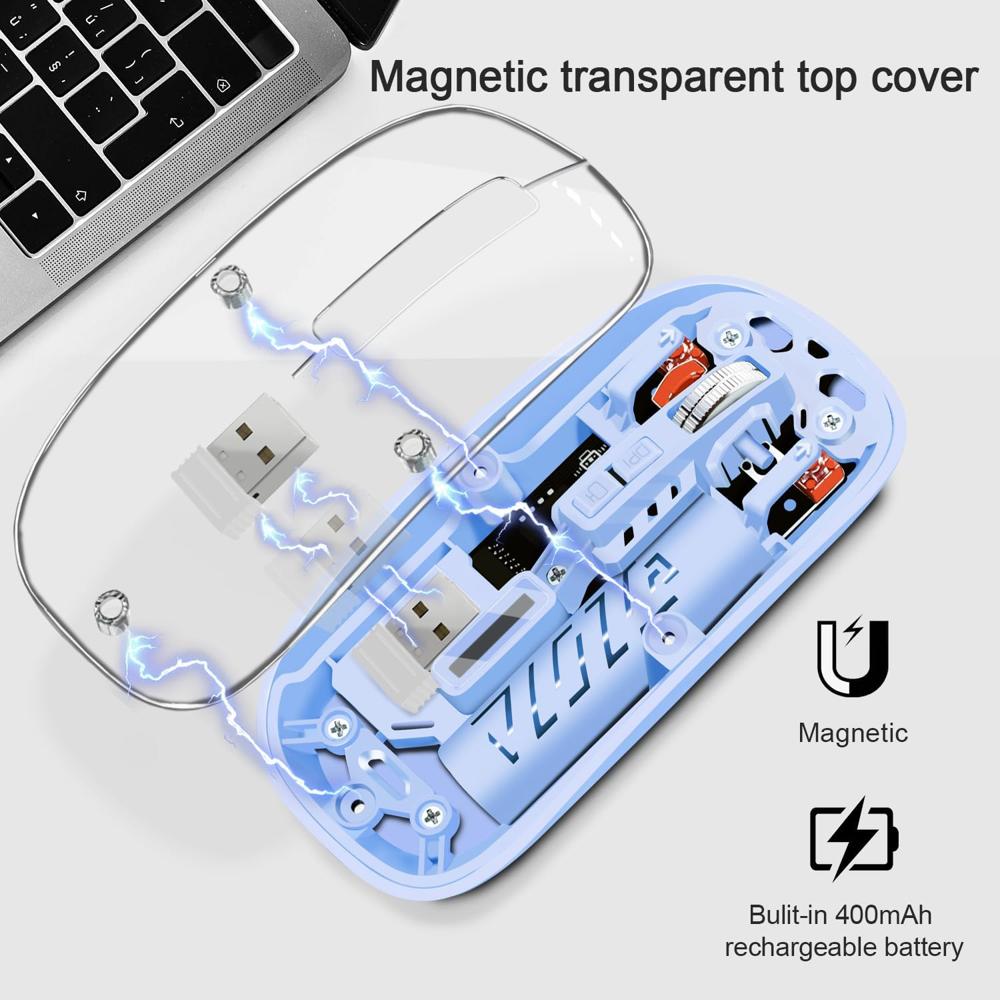
- Unique Design: The USB C mouse is a slim wireless mouse with a removable top cover made of transparent PC material. It matches the colorful breathing light within, which changes at random while in use and appears fashionable and cool
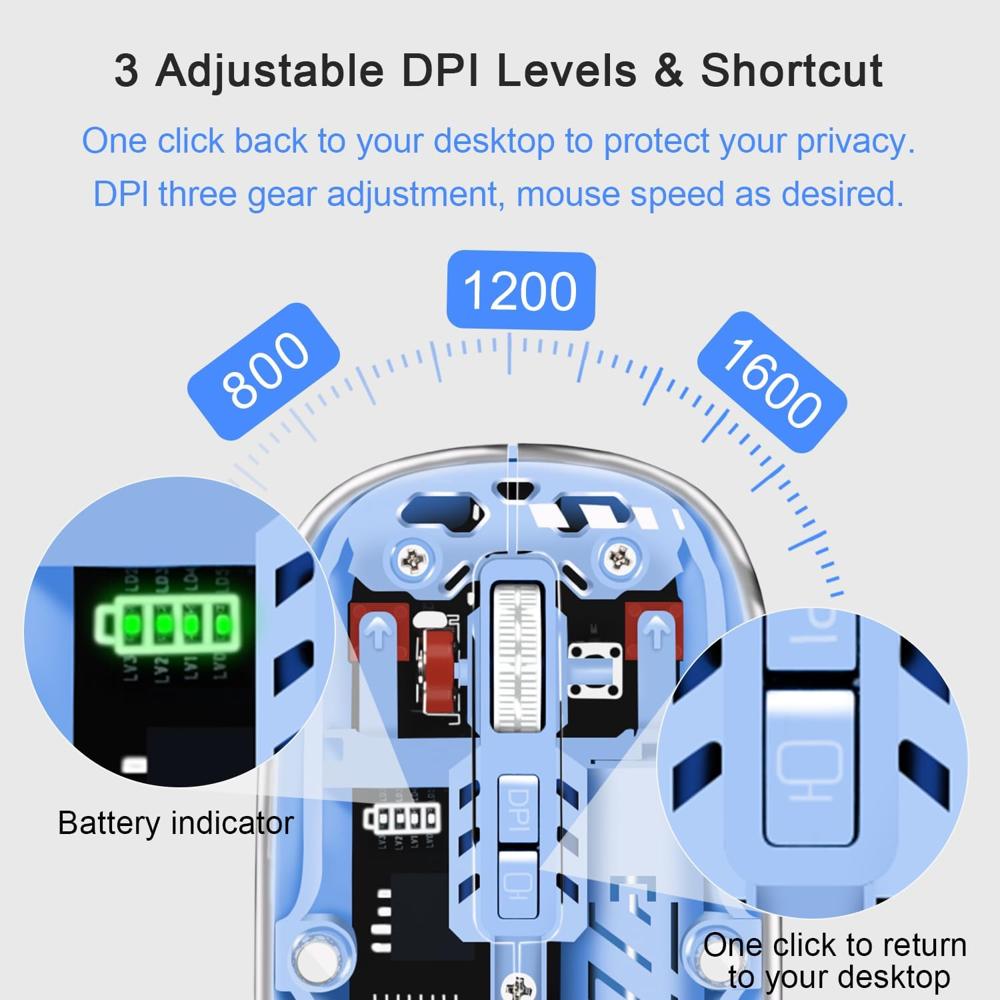
- One-Click Desktop: One-click back to the desktop is a shortcut button on this bluetooth mouse that allows you to return to the desktop with a single click, making it useful for work and privacy protection
- PC Mouse with Wide Compatibility: This laptop mouse is easy to use. Bluetooth mode works with Windows, Android, and MAC OS systems. 2.4Hz Wireless Mode works with the laptop, desktop, or any device with a USB port, plug and play with USB receiver
- System Support: BT5.2 System Requirement: Windows 8.0, Windows 10 or later; Mac OS X 10.10 or later;iPad OS 13 or later/ Android 5.0 or later. Please check or update the operating system before using it
- Three Adjustable DPI: The computer mouse with three adjustable precision levels (800/1200/1600 DPI); you can choose the cursor speed that suits you
- Rechargeable Mouse: Built-in 400mAh rechargeable battery, charge the mouse with a Type-C charging cable (included) simply. No need to change batteries. Battery indicator shows current battery level. It turns off when the mouse is working to save power
- Silent Click, More Focus: The silent mouse uses silent click technology to create a calm environment, allowing you to stay focused on your work. It is an ideal wireless mouse for an office, conference room, cafe, library, or bedroom
See more product details
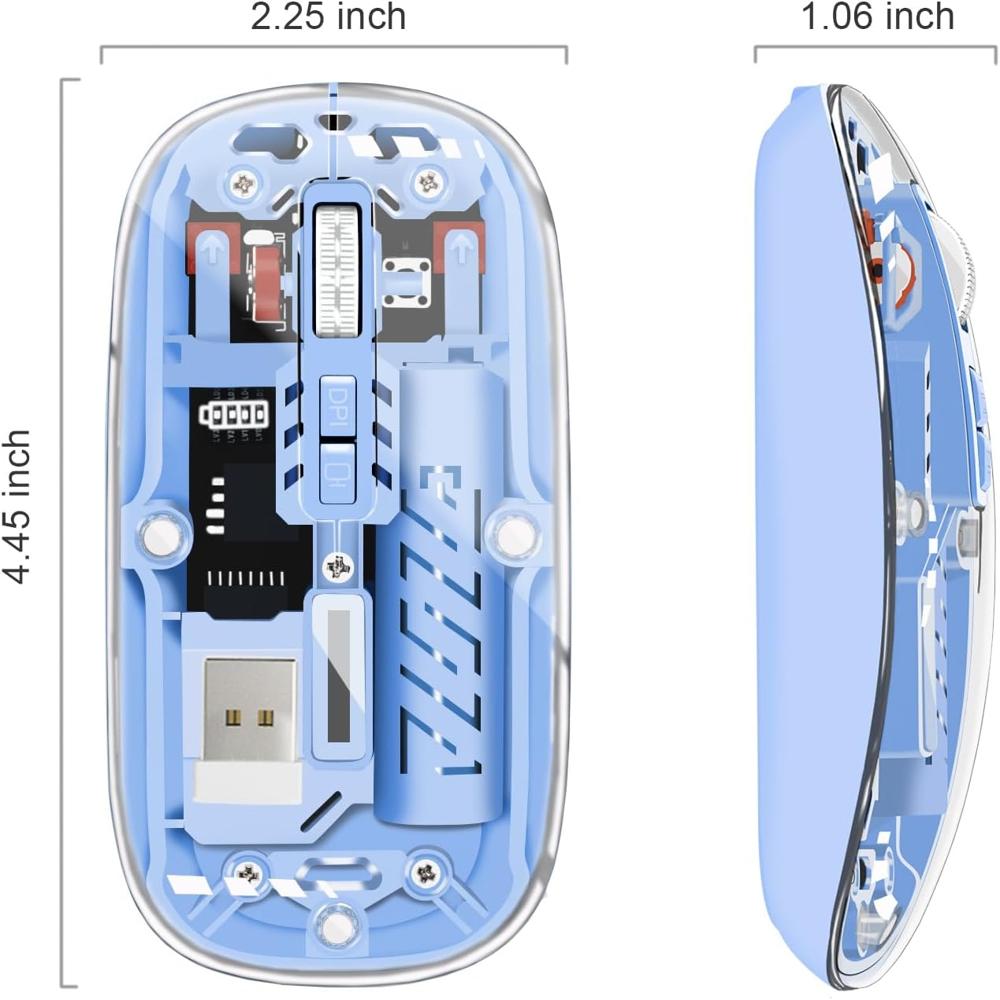
Striking Transparent DesignShowcasing a modern aesthetic, the mouse's blue transparent body stands out in any workspace while remaining lightweight and portable. The clear plastic construction highlights the internal components and adds a touch of sophistication, making it perfect for tech enthusiasts and professionals seeking both functionality and style.
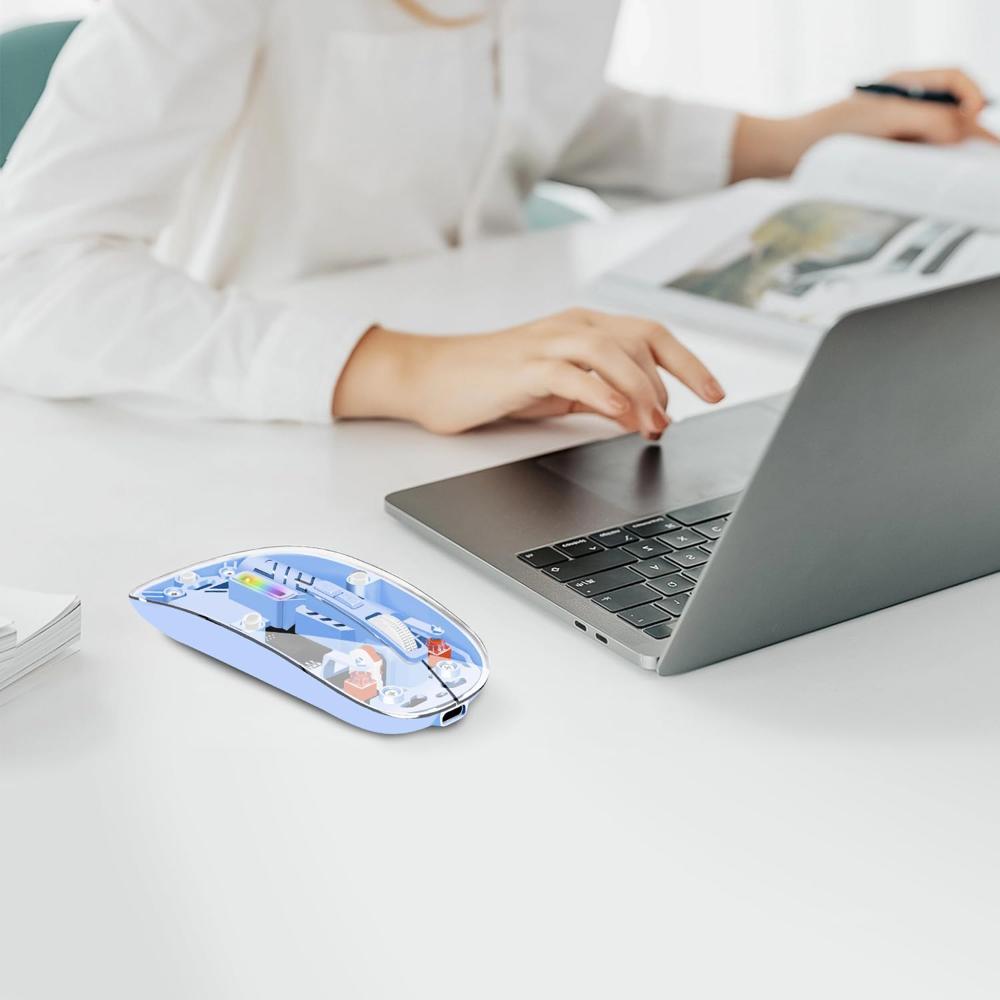
Ergonomic Comfort for Daily UseDesigned with user comfort in mind, this mouse fits comfortably in the hand, supporting long work or gaming sessions. Its ergonomic shape reduces strain, while silent clicking minimizes distractions in quiet environments, such as offices or libraries. At just 55g, it delivers effortless portability for users on the go.
Hassle-Free Connectivity and PowerNo drivers are required-simply insert the USB receiver and enjoy lag-free wireless performance over 2.4GHz. With a rechargeable lithium battery providing up to 30 days of typical use, and a quick 2-hour charge time, uninterrupted productivity is right at your fingertips. Charging is easy with the included Micro-USB/Type-C cable.
FAQ's of Transparent Wireless Mouse:
Q: How do I set up the Transparent Wireless Mouse for the first time?
A: To get started, simply insert the included USB receiver into an available USB port on your PC, laptop, MacBook, or compatible device. The mouse will automatically connect-no drivers or software installation required. Charge the mouse using the provided Micro-USB or Type-C cable before initial use.
Q: What are the benefits of the adjustable DPI feature?
A: The adjustable DPI settings (800/1200/1600 DPI) allow you to customize the mouse sensitivity for precise navigation or rapid cursor movement, making the mouse suitable for a variety of tasks, from graphic design to everyday browsing.
Q: How long does the battery last, and how do I know when to recharge?
A: With a full charge, the mouse provides up to 30 days of use under typical conditions. An indicator light will alert you when the battery is low or charging is in progress, ensuring you always know when it needs recharging.
Q: Can I use this mouse with both Windows and Mac operating systems?
A: Yes, this mouse is compatible with Windows, Mac OS, and Linux, making it a versatile choice for nearly any desktop, laptop, or notebook.
Q: What should I do if the mouse stops responding or lags during use?
A: If the mouse stops responding, check that the USB receiver is securely connected and the battery is charged. Re-plug the receiver or re-pair the mouse if necessary. Avoid using the mouse on reflective or uneven surfaces, and ensure you're within the recommended wireless range.
Q: Where is the charging port located on the mouse?
A: The charging port is located at the front of the mouse. Use the included charging cable (Micro-USB or Type-C, depending on the model) to recharge the internal lithium battery.

 Send Inquiry




 Send Inquiry

 Send Inquiry